Motion Sensors Zigbee – Complete Guide

Motion Sensors Zigbee – Complete Guide
Discover everything about smart motion sensor Zigbee devices in this easy guide. Learn how they work, top picks for 2025, setup tips, and more to make your home smarter without the hassle.
Hey there! Imagine walking into a dark room and the lights pop on all by themselves. Or getting a ping on your phone if someone’s lurking in your backyard at night. That’s the magic of a smart motion sensor Zigbee. These little gadgets are like the eyes of your smart home, spotting movement and telling everything else what to do.
They’re super popular because they connect using Zigbee, a wireless language that lets them chat with lights, hubs, and apps without draining your battery or Wi-Fi. No more fumbling for switches or worrying about forgotten lights. In this guide, we’ll break it all down like we’re chatting over coffee—simple, fun, and straight to the point. Whether you’re in a cozy apartment in Pakistan, a bustling flat in London, or a sunny villa in Australia, these sensors can level up your space.
What Exactly Is a Zigbee Motion Sensor?
Well, at its heart, a Zigbee motion sensor is a tiny device that notices when something moves. It uses something called PIR—passive infrared tech—to pick up on heat from people, pets, or even a breeze moving curtains. Unlike old-school sensors that just beep, these smart ones join your Zigbee network.
Zigbee is like a low-power team player. It hops signals from one device to another, so even if your hub is far away, the message gets through. Most run on batteries that last a year or two, and they’re small enough to stick anywhere—hallways, garages, you name it.
Honestly, they’re not just for security. They automate your life, like turning on a fan when you enter the kitchen or dimming lights if no one’s around.
How Does a Zigbee Motion Sensor Work?
Picture this: The sensor has a special lens that sees infrared heat, the kind your body gives off. When you walk by, it spots the change and sends a quick signal over Zigbee to your hub—like Philips Hue Bridge, SmartThings, or Home Assistant.
That hub then bosses other gadgets around. Lights on? Check. Alarm? You bet. It usually takes a second or two to react, and they “listen” for motion in a cone shape, say 120 degrees wide and up to 10 meters away.
Some fancy ones add extras, like checking light levels so they don’t flip lights on during the day, or even measuring temperature. It’s all mesh networking magic—devices help each other relay info, making it reliable even in big homes.
Types of Zigbee Motion Sensors
Not all motion sensors are the same. Here’s the scoop on the main kinds you’ll find in 2025.
PIR Sensors (The Classics)
These are the go-to for indoors. They detect body heat best, so they’re great for rooms but might miss cold objects. Super cheap and battery-friendly.
Microwave Sensors (The Powerhouses)
These bounce radio waves and catch movement through walls. Awesome for garages or outdoors, but they use more power and can trigger on fans or rain.
Multi-Sensor Hybrids
New in 2025, many mix PIR with light, temp, or even vibration detection. Think Aqara or Sonoff models that do double duty.
Outdoor ones are tougher, with weatherproof shells for rain or dust—perfect if you’re in a monsoon spot or snowy area.
Top Zigbee Motion Sensors for 2025
2025 has some winners. I dug into what’s hot right now—no fluff, just solid picks based on real use.
- Aeotec SmartThings Motion Sensor: Top dog for reliability. Works with Samsung hubs, lasts 2 years on battery, and has a sneaky small size. Great range, too.
- ThirdReality Zigbee Sensor: Budget king at under $15. Pairs with Echo or SmartThings, super easy setup. Folks love it for multi-room coverage.
- Treatlife Zigbee Sensor: Affordable with lux sensor built-in. No daytime triggers, and it plays nice with Alexa routines.
- Sonoff ZBMotion: Reddit fave for Home Assistant fans. Cheap, customizable sensitivity, and rock-solid in big networks.
- Philips Hue Indoor Sensor: Premium pick if you have Hue lights. Includes night light mode—dims to a glow so you don’t stub your toe.
For outdoors, check Sengled floodlights with built-in sensors—they light up driveways like pros.
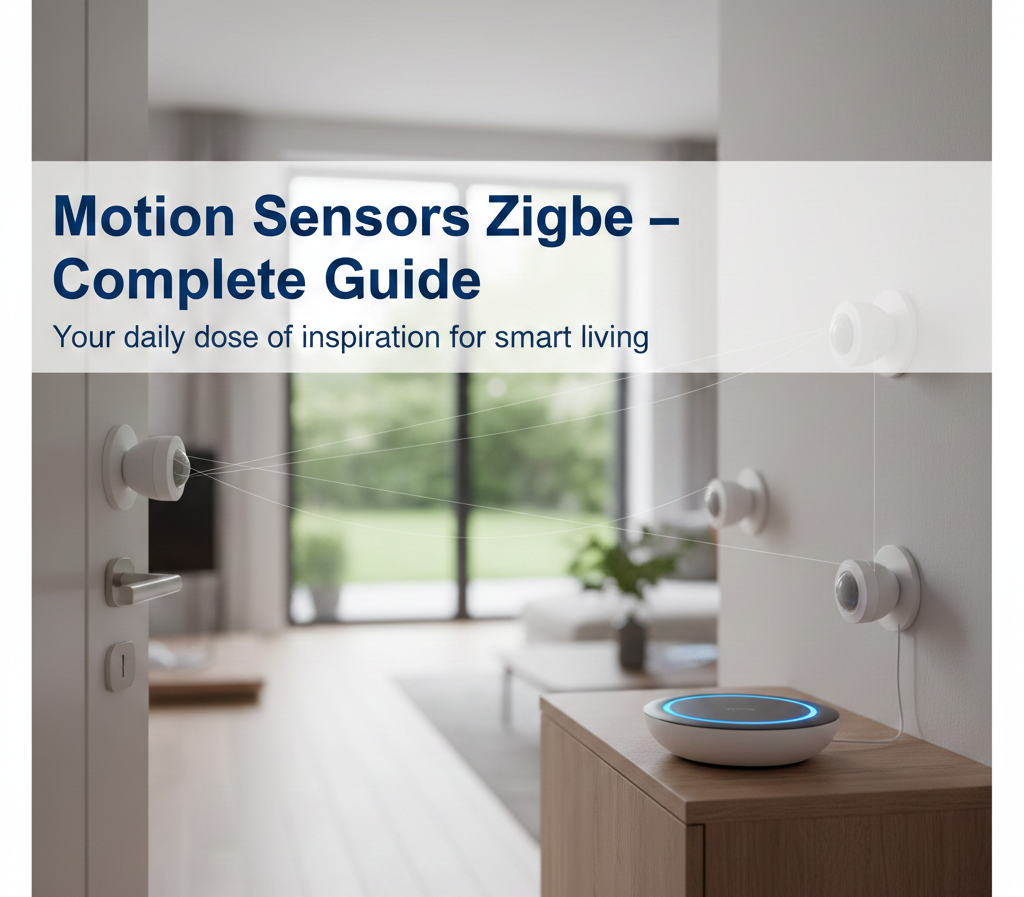
This little guy shows a typical Zigbee sensor tucked in a corner, ready to watch your space.
Latest Updates for 2025
Things are buzzing in 2025! Zigbee 3.0 is everywhere now, making devices talk better across brands. Matter support is rolling out, so your sensor works with Apple, Google, and Alexa without headaches.
Battery life jumped—many hit 3 years thanks to sleep modes. Orvibo and OWON dropped rugged outdoor models with 100m range for farms or big yards.
Security got tighter with end-to-end encryption, and apps now predict patterns—like “you’re home late, preheat the oven.”
Benefits and Advantages
Why bother? These sensors make life easier and save cash.
They cut energy bills by auto-turning off lights—up to 30% savings in busy homes.
Peace of mind: Get alerts for porch pirates or kids sneaking snacks at midnight.
No wiring mess. Stick ’em with tape and forget.
Pet-friendly modes ignore your cat but catch humans. Scalable too—one hub handles dozens.
In hot places like Pakistan summers, pair with fans for instant cool-downs. In cold climates, they trigger heaters smartly.
Step-by-Step Setup Guide
Setting one up is easier than tying shoes. Here’s how.
Step 1: Pick Your Hub
Need a Zigbee hub like Echo 4th gen (built-in), SmartThings, or a USB stick for Home Assistant. No hub? Some work direct with Alexa.
Step 2: Power It Up
Pop in CR123A or AA batteries. Most scream if low via app.
Step 3: Pair It
Open your app (say, SmartThings). Put sensor in pairing mode—usually hold a button 5 seconds till it blinks. Scan for new devices. Boom, connected.
Step 4: Place It Right
Mount 1.5-2m high, facing the room center. Avoid sun, vents, or curtains that sway. Test by walking—adjust angle.
Step 5: Make Routines
App time! “If motion in hall, turn living room lights 50% for 10 mins.” Add “if dark outside.”
Pro tip: Use double-sided tape for renters—no holes.
Best Places to Install Them
- Hallways and Entries: Lights on entry, off after 5 mins no motion.
- Bedrooms: Night light mode for midnight bathroom runs.
- Garages/Porches: Security alerts or floodlights.
- Kid’s Rooms: Notify if they wake up crying.
- Offices: Auto-desk lamp for late workers.
Outdoors? Under eaves for weather protection.
Zigbee Motion Sensor vs. Wi-Fi Ones
Zigbee wins hands down. Wi-Fi guzzles battery (weeks vs. years), clogs your router, and drops in weak spots.
Zigbee meshes—neighbors help signals hop. Cheaper long-term, too. Wi-Fi’s fine for plugs, but motion needs Zigbee’s low power.
Battery Life and Maintenance Tips
Expect 1-3 years. Factors? Sensitivity high = faster drain. Cold temps slow batteries.
Tips:
- Swap every 18 months.
- Check app for low-battery alerts.
- Rechargeables work if your model allows.
- Clean lens with microfiber—no sprays.
Common Mistakes to Avoid
Don’t hide it behind furniture—defeats the purpose.
Skip super-sensitive settings; fans trigger false alarms.
Test after setup—walk slow, fast, from sides.
No hub? You’re stuck. Plan ahead.
Forgetting privacy—review app logs who/what triggered.
Placing near windows: Sun fools PIR.
Advanced Uses and Automations
Get creative!
- Energy Saver: Link to AC—turn off if empty room.
- Security Pro: Arm system, motion = siren + phone call.
- Pet Feeder: Motion in kitchen? Dispense treats (with camera check).
- Health Hack: Track sleep by bedroom motion patterns.
- Party Mode: Motion party-wide dims lights gradually.
With Home Assistant, script wild stuff like “if motion + door open, brew coffee.”
Choosing the Right One for You
Budget under $20? ThirdReality or Sonoff.
Hue ecosystem? Philips.
Big house? Aeotec for range.
Check: Range (10m+), angle (120°), battery type, Matter-ready.
Troubleshooting Common Issues
Won’t pair? Restart hub, get closer.
False triggers? Lower sensitivity, reposition.
No motion detect? Clean lens, new batteries, check range.
App glitches? Update firmware—2025 models push auto-updates.
Hub full? Zigbee limits ~50 devices; add repeaters like plugs.
Cost Breakdown in 2025
Singles: $10-30.
Bundles: 3-pack $40-60.
Hubs extra if needed: $30-100.
Worth it? Pays for itself in energy savings year one.
Zigbee with Popular Hubs
- Alexa/Echo: Built-in on newer models. Voice: “Alexa, check motion.”
- Google Home: Via Matter now.
- Home Assistant: Unlimited power for tinkerers.
- Samsung SmartThings: Seamless.
- Philips Hue: Lights + sensors = dream team.
Future of Zigbee Motion Sensors
By 2026, expect solar-powered outdoors, AI to spot person vs. pet via tiny cams, and deeper Matter ties. Integration with EVs—like garage opens for your car approaching.
Conclusion
There you have it—your full roadmap to Zigbee motion sensors. From newbie setups to pro hacks, these gadgets turn houses into helpful homes. Grab one, stick it up, and watch the wow moments roll in. Your future self (and wallet) will thank you. What’s your first spot to try? Drop a thought if you’re setting up!
FAQs
What’s the best Zigbee motion sensor for beginners?
Aeotec or ThirdReality—easy pair, long battery, cheap. Start there.
Do Zigbee sensors work outdoors?
Yes, pick IP65-rated like OWON. Avoid indoor-only in rain.
How long do batteries last?
1-3 years average. Apps warn you ahead.
Can I use without a hub?
Some with Echo hubs, but most need one for full smarts.
Zigbee or Z-Wave?
Zigbee’s cheaper, meshes better for sensors. Z-Wave for locks.
Will it detect pets?
Many have pet mode (under 20kg ignore). Test yours.